
PhotoCraft
The free alternative toPhotoshop
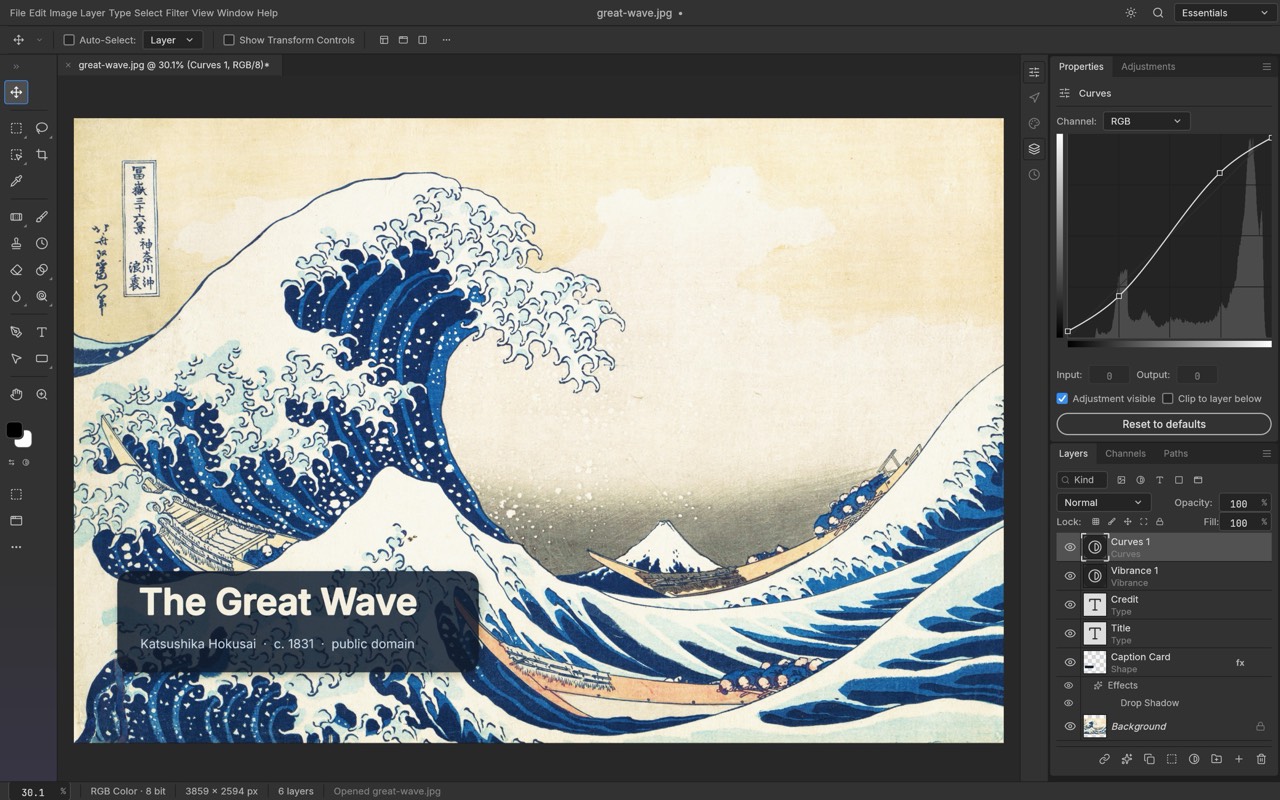
PhotoCraft is an open source rewrite of Photoshop, built from scratch by the ArtCraft team. You find the menus, shortcuts and panels your hands already know: layers, masks, 16 adjustment layers (curves, levels, vibrance), layer styles, editable type, vector tools, a real brush engine, and subject selection that runs on your machine, with no cloud and no account. It opens and saves your PSD files with their layers. MIT or Apache 2.0 license, free on Mac, Windows, Linux and in the browser. The project is brand new (released at the end of September 2026) and still in alpha: the team itself says it does not replace Photoshop for everyday professional work yet, mainly because it has no generative AI.
Versus Photoshop: the match
Price
PhotoCraft
€0, on every platform
Photoshop
€27/month, one year commitment
Account and sign in
PhotoCraft
No account, no cloud, everything stays on your machine
Photoshop
Adobe account required
PSD files
PhotoCraft
Opened and saved with their layers
Photoshop
Its native format
| VS | PhotoCraft | Photoshop ↗ |
|---|---|---|
| Price | €0, on every platform | €27/month, one year commitment |
| Account and sign in | No account, no cloud, everything stays on your machine | Adobe account required |
| PSD files | Opened and saved with their layers | Its native format |
| Generative AI | Not yet | Included, 25 credits a month |
| Maturity | Alpha, released in September 2026 | Over 35 years of development |
How to install it (even from zero)
The simplest path: download PhotoCraft from its official page. It installs like any other app and works with no account. The prompt below has Claude pick the right file for your machine and check the download.
- 1
Paste this prompt into Claude (Code or Desktop)
It detects your system, downloads the right version and checks it has not been tampered with:
Je veux installer PhotoCraft (le logiciel de retouche photo open source qui reprend Photoshop, dépôt GitHub officiel storytold/photocraft, site getartcraft.com/apps/photocraft) à la place d’un abonnement Photoshop. Guide-moi pas à pas et pose-moi des questions si besoin. Repère d’abord mon système (macOS, Windows ou Linux) et mon processeur (Apple Silicon, Intel, x64 ou ARM). Télécharge ensuite la dernière version publiée dans les releases du dépôt storytold/photocraft, ou sur la page officielle getartcraft.com/apps/photocraft, en prenant le fichier qui correspond : l’image disque universelle sur Mac, l’installateur 64 bits sur Windows, l’AppImage, le paquet .deb ou le Flatpak sur Linux. Vérifie l’empreinte SHA-256 du fichier avec le fichier SHA256SUMS.txt publié avec la même version, et arrête-toi si elle ne correspond pas. Installe l’appli et vérifie qu’elle démarre. Si macOS bloque l’ouverture, explique-moi comment l’autoriser dans Réglages Système, sans désactiver la sécurité de mon Mac. Rappelle-moi que PhotoCraft est encore en alpha : je garde mes fichiers d’origine et je travaille sur des copies. Si j’utilise Claude Code, propose-moi aussi d’installer l’outil en ligne de commande photocraft-cli de la même version et de brancher son serveur MCP (photocraft-cli mcp), pour que tu puisses retoucher mes images à ma place. Pour finir, ouvre un de mes fichiers PSD et dis-moi ce qui s’affiche bien et ce qui manque.

Review the GitHub repository and check whether it is safe to install given my machine and my infrastructure. Ask me as many questions as possible, using widgets, to clarify my request and be as precise as you can.
- 2
Open one of your real PSDs
The best test: a file from your own work, with its layers and styles. You see right away what works and what is missing.
- 3
Keep Photoshop for generative AI
Generative fill does not exist in PhotoCraft yet. For retouching, compositing, type and export, try it for a week before you renew your subscription.
 Paste this prompt into Claude (Code or Desktop)
What you actually do with it
Your retouching without a subscription
Layers, masks, curves, levels, layer styles and type: your everyday visuals, without the €27 a month.
Your PSDs keep their layers
It opens and re-saves Photoshop files: out of 309 test files, 307 come out with the same render. You do not start from scratch.
Claude retouches for you
Every action is a command: from the command line or through its MCP server, your agent crops, applies a curve or exports a whole folder of images.
Project health, at a glance
Before installing an open-source tool, one question matters: is the project alive? These scores are computed from public GitHub data. They are not made up.
79/100
GoodHealthy, followed project: a good everyday choice.
- Activity
- 100
Is the code moving? (commits in the last 30 days)
- Maintenance
- 100
How fresh is the latest update? Fresher is better.
- Community
- 98
Stars and contributors: people around means help and fixes.
- Maturity
- 40
Project age. Old enough to be solid, still alive.
- Momentum
- 57
Current pace versus its usual pace: speeding up or dozing off?
The repo in numbers
- GitHub stars
- 74.6k
- Forks
- 13.2k
- Contributors
- 408
- Commits
- 7.1k
- Project age
- 0.1 yrs
- Last commit
- today
- Size
- 100.3 MB
- License
- Apache-2.0
Built with
- Rust 99.4%
Scores computed automatically from the GitHub API (last-30-days activity, update freshness, community size, project age). Refreshed daily.

Loucash’s take
6/10
It is the project that blew up on GitHub these past days: over 50,000 stars in less than two weeks. And it is easy to see why: the menus, shortcuts and panels are Photoshop’s, so you find your way at once. Layers, masks, adjustments, type, vectors, it is all there, and your PSDs open with their layers. What may bite: it is an alpha, released at the end of September. The team says so itself, it is not yet a replacement for everyday professional work: no generative AI, around fifteen missing tools, no plug-ins. I am following it very closely, all the more since the same team released the same thing for Illustrator, Premiere, Lightroom, Acrobat, After Effects and InDesign.
It’s for you if: You retouch your visuals, thumbnails or photos, you pay for Photoshop mostly for layers, masks and type, and you want to stop the subscription. If you live on generative fill or pro plug-ins, keep Photoshop for now.
Also worth a look in the library
FilmCraft
Content & social€27/moThe open source Premiere Pro, rewritten from scratch: multitrack timeline, trims, Lumetri-style grading, effects, audio mixing, captions and export. Free, with no account, still in alpha.
View details →
VectorCraft
Content & social€27/moThe open source Illustrator, rewritten from scratch: pen, Pathfinder, Shape Builder, gradients, type, layers, and SVG, PDF and PDF-compatible .ai files. Free, with no account, still in alpha.
View details →
EffectCraft
Content & social€27/moThe open source After Effects, rewritten from scratch: compositions, layers, keyframes, 306 effects, expressions, 3D, and video or Lottie export. Free, with no account, still in alpha.
View details →



One email a week that saves you money
Every Tuesday: the open source alternatives that just entered the library, what they replace and what they save you. One email, nothing more.
Free. One email on Tuesdays. Unsubscribe in one click. Your data


Join the Tuesday readers
