
Cap
The free alternative toLoom,Screen Studio


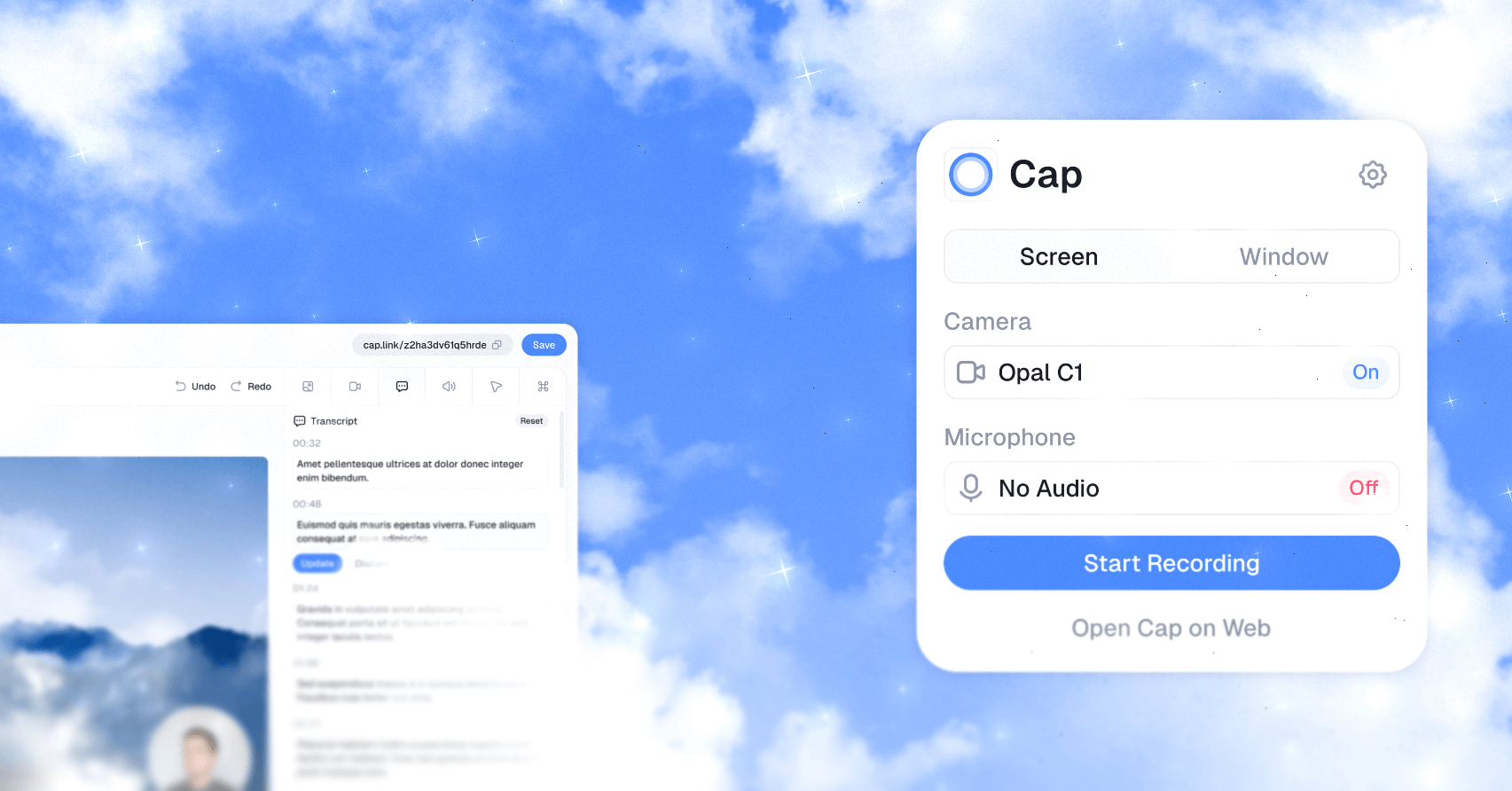
Cap is the open source alternative to Loom. It records your screen, your webcam and your mic, and gives you a video to share. In Instant mode, the video uploads while you talk and the link is already copied when you stop, just like Loom. In Studio mode, you record locally, in 4K if you want, then edit: background, automatic zoom on your clicks, blur on sensitive areas, captions, export to a file. Nothing leaves for a server until you ask for a link. There is also a screenshot mode, and a command line so Claude Code can record for you. The web part deploys on your own server with Docker Compose: your videos, your database, your storage. The app runs on Mac and Windows; the Linux version is brand new.
Versus Loom: the match
Price
Cap
€0 for personal use, €25/year for business use
Loom
€16 per person per month
Recording length
Cap
No limit locally (Studio mode)
Loom
5 minutes on free, unlimited on paid
Where your videos go
Cap
Your machine, your server or your S3
Loom
Their servers
| VS | Cap | Loom ↗ |
|---|---|---|
| Price | €0 for personal use, €25/year for business use | €16 per person per month |
| Recording length | No limit locally (Studio mode) | 5 minutes on free, unlimited on paid |
| Where your videos go | Your machine, your server or your S3 | Their servers |
| Editing | Auto zoom, background, blur, captions, included | Basic at €16, advanced with AI at €21 |
| Platforms | Mac, Windows, Linux (brand new .deb) | Mac, Windows, mobile, Chrome extension |
| Code | AGPL, to read, fork or build | Closed |
How to install it (even from zero)
A desktop app to download, like Loom. What deserves a hand: the screen recording and microphone permissions, and the setting that keeps your videos local by default.
- 1
Paste this prompt into Claude (Code or Desktop)
It installs the app from the official project, sets the permissions, keeps your videos local and checks with a test:
Installe Cap sur ma machine (l'enregistreur d'écran open source, alternative à Loom, repo GitHub CapSoftware/Cap) : télécharge la dernière version pour mon système depuis cap.so/download ou depuis les releases du repo, installe-la, puis guide-moi pour autoriser l'enregistrement de l'écran et du son système, le micro et la caméra. Si l'app demande de se connecter, explique-moi ce que ça implique et laisse-moi faire cette partie. Ensuite, règle l'app pour que mes vidéos restent sur ma machine par défaut : mode Studio, un dossier d'enregistrement local que je choisis, et aucun partage en ligne tant que je ne le demande pas. En option, seulement si je te le dis : branche mon propre stockage S3 compatible (Cloudflare R2, MinIO ou autre) dans les réglages, sans jamais me demander de coller mes clés dans le chat, ou déploie la partie web sur mon serveur avec Docker Compose depuis le repo CapSoftware/Cap, en changeant les secrets par défaut, puis relie l'app à cette adresse. Vérifie avec un court enregistrement test que la vidéo se lit et que le fichier est bien dans mon dossier. Explique chaque étape simplement, je débute.

Review the GitHub repository and check whether it is safe to install given my machine and my infrastructure. Ask me as many questions as possible, using widgets, to clarify my request and be as precise as you can.
- 2
Allow the screen, the microphone and the camera
On Mac, Cap asks for screen and system audio recording, microphone and camera access the first time it needs them. If you declined by reflex, it is all fixable in System Settings, under Privacy and Security, then you relaunch the app. On Windows, it lives in the privacy settings.
- 3
Studio to stay in control, Instant to go fast
In Studio mode, nothing leaves your machine until you click Shareable Link: you edit, you export a file, you send it wherever you want. Instant mode uploads the video to their cloud (or to your self-hosted server) while you record. Pick according to what you are filming.
 Paste this prompt into Claude (Code or Desktop)
What you actually do with it
A video answer instead of a twenty-line email
You show your screen, you comment, you send the link. To explain a bug to a client, sign off on a mockup or answer the question that comes back every week, it is faster than writing, and the person watches when they want.
Clean tutorials without editing software
Studio mode adds a background, zooms on your clicks by itself, blurs what is nobody's business, lays down captions. You export in 4K and publish, or keep the file for your course.
Your client onboarding, hosted at home
With the web part on your server, or your own S3 storage, your walkthrough videos stay on infrastructure you control. Handy when a client asks where their data goes, and nothing stops if you change your mind about a subscription.
Project health, at a glance
Before installing an open-source tool, one question matters: is the project alive? These scores are computed from public GitHub data. They are not made up.
94/100
ExcellentVery active, well-maintained project: go ahead with confidence.
- Activity
- 100
Is the code moving? (commits in the last 30 days)
- Maintenance
- 100
How fresh is the latest update? Fresher is better.
- Community
- 90
Stars and contributors: people around means help and fixes.
- Maturity
- 80
Project age. Old enough to be solid, still alive.
- Momentum
- 100
Current pace versus its usual pace: speeding up or dozing off?
The repo in numbers
- GitHub stars
- 24.2k
- Forks
- 2.2k
- Contributors
- 152
- Commits
- 12.5k
- Project age
- 3 yrs
- Last commit
- today
- Size
- 455.6 MB
- License
- Other
Built with
- Rust 57.8%
- TypeScript 36.2%
- JavaScript 1.9%
- Python 1.5%
- MDX 0.9%
Scores computed automatically from the GitHub API (last-30-days activity, update freshness, community size, project age). Refreshed daily.

Loucash’s take
8/10
If you pay for Loom to send screen videos, Cap does the same job, and the Studio mode editor is frankly a level above: automatic zoom, background, blur, captions, without opening editing software. The project is alive, commits every week, close to 22,000 stars, and you can host everything at home with Docker Compose. What stings is the model. The app you download from cap.so is free for personal use only: as soon as you record for a client or to sell a course, Cap asks for a desktop license at €25 a year. The code stays AGPL, so if you build it yourself that clause no longer applies, but let's be honest, few people will. Free share links stop at 5 minutes per video, and the AI (titles, summaries, transcription) as well as plugging your own S3 into their cloud are reserved for Cap Pro, €10 a month. On Linux, the .deb package is brand new: expect surprises. It is here to replace Loom, not Supademo: Cap makes videos, not clickable demos where a visitor walks through your product. And if you only want to record your screen without sharing or editing, your system's native tool or OBS is enough.
It’s for you if: You pay for Loom, or keep hitting its 5-minute wall on the free plan, and you want the same gesture with videos that stay with you.
Also worth a look in the library
PhotoCraft
Content & social€27/moThe open source Photoshop, rewritten from scratch: layers, masks, adjustment layers, styles, type, vectors, brushes and real PSD files. Free, offline and with no account, still in alpha.
View details →
FilmCraft
Content & social€27/moThe open source Premiere Pro, rewritten from scratch: multitrack timeline, trims, Lumetri-style grading, effects, audio mixing, captions and export. Free, with no account, still in alpha.
View details →
VectorCraft
Content & social€27/moThe open source Illustrator, rewritten from scratch: pen, Pathfinder, Shape Builder, gradients, type, layers, and SVG, PDF and PDF-compatible .ai files. Free, with no account, still in alpha.
View details →



One email a week that saves you money
Every Tuesday: the open source alternatives that just entered the library, what they replace and what they save you. One email, nothing more.
Free. One email on Tuesdays. Unsubscribe in one click. Your data


Join the Tuesday readers
