


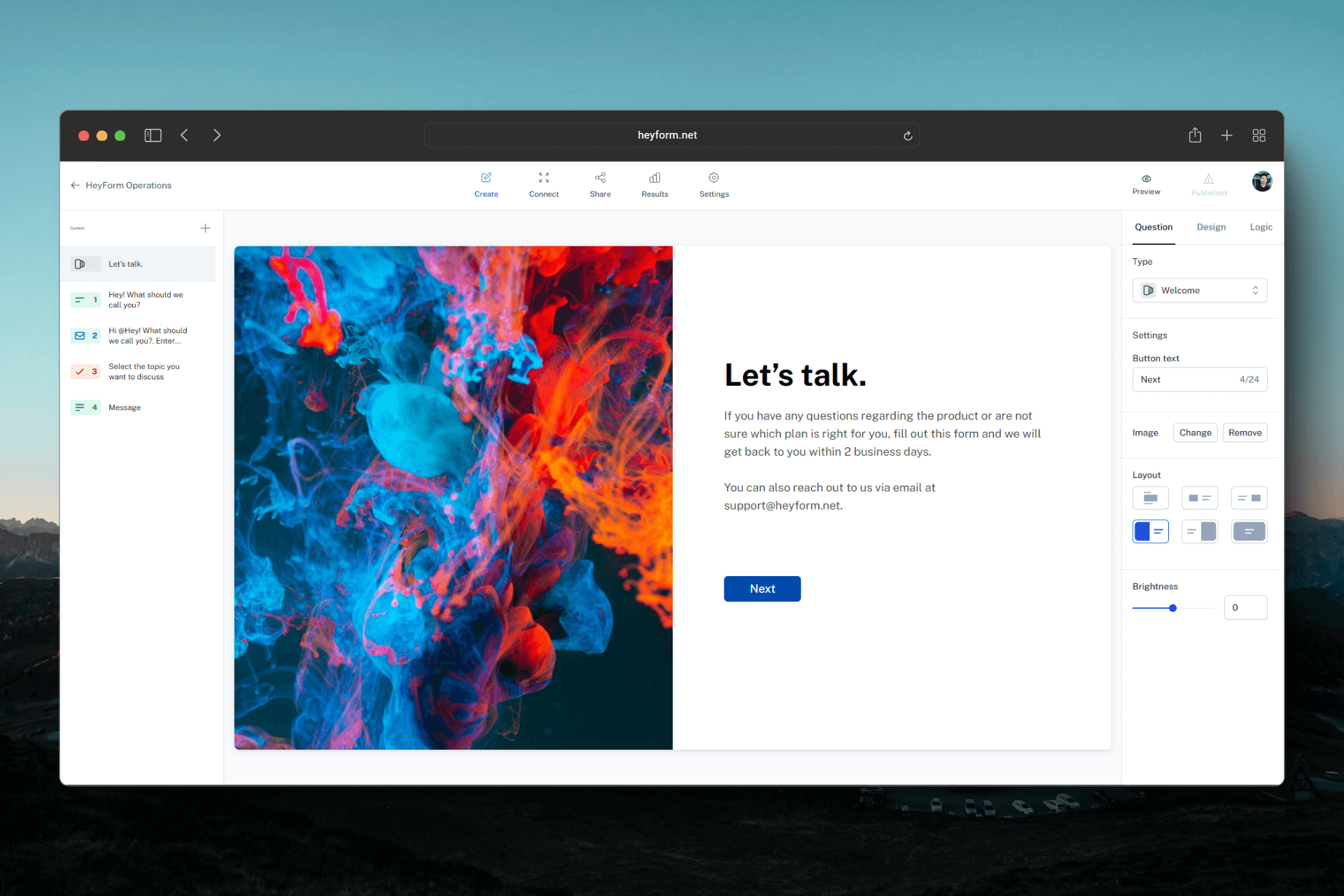
HeyForm is the Typeform-style form, one question at a time, but self-hosted. In the visual editor you build surveys, quizzes, contact or order forms, with conditional logic, themes, custom CSS, Stripe payments, file uploads and signatures. Answers land in a results table with drop-off rates, export to CSV and flow to your tools through webhooks, Zapier, Make, Google Sheets, Airtable or Slack. It runs on your server with Docker: the app, a MongoDB database and a Redis. AGPL-3.0 license, and a hosted version exists from €13 a month. The part that matters: the project went through a big wave of security advisories in 2026 and hardened its code in August. So install the latest version, not an older one.
Versus Typeform: the match
Price
HeyForm
€0, plus a small VPS for a few euros a month
Typeform
€24 per month yearly, €35 monthly
Responses per month
HeyForm
No cap, it is your database
Typeform
100 on Basic, then you upgrade
Where answers live
HeyForm
In your MongoDB, on your server
Typeform
On their servers
| VS | HeyForm | Typeform ↗ |
|---|---|---|
| Price | €0, plus a small VPS for a few euros a month | €24 per month yearly, €35 monthly |
| Responses per month | No cap, it is your database | 100 on Basic, then you upgrade |
| Where answers live | In your MongoDB, on your server | On their servers |
| Removing the branding | Included, with your own CSS | Plus plan, from €48 per month |
| Users | Your team, no extra cost | 1 seat on Basic |
| Security and updates | Up to you, and here it matters | Handled by them |
How to install it (even from zero)
Three containers (the app, MongoDB, Redis) and an HTTPS proxy in front. The prompt does it all, you bring a server and a domain name. Count twenty minutes.
- 1
Paste this prompt into Claude (Code or Desktop)
It deploys HeyForm from the official project with Docker Compose, sets the variables, puts an HTTPS proxy in front and checks your first form:
Installe HeyForm sur mon serveur (le créateur de formulaires open source façon Typeform, repo GitHub heyform/heyform) avec Docker Compose, en suivant la doc officielle docs.heyform.net/open-source/self-hosting. Pars de zéro : vérifie que Docker et Docker Compose sont présents, sinon installe-les. Crée un dossier heyform avec un docker-compose.yml qui lance trois services : l'image heyform/community-edition avec une version taguée récente (au minimum v3.0.2, jamais plus ancienne que v3.0.1, celle qui contient les correctifs de sécurité), une base MongoDB et un Redis (KeyDB), chacun avec un volume pour garder les données. Génère deux clés aléatoires longues pour SESSION_KEY et FORM_ENCRYPTION_KEY, règle APP_HOMEPAGE_URL sur mon nom de domaine en https, et mets TRUST_PROXY à 1 puisque l'application sera derrière un proxy. Ne publie pas le port 9157 sur internet : installe un reverse proxy (Caddy de préférence) qui sert mon domaine en HTTPS avec un certificat automatique et renvoie vers le conteneur HeyForm. Lance le tout, ouvre l'adresse, crée mon compte administrateur, puis ajoute APP_DISABLE_REGISTRATION=true et relance pour fermer les inscriptions. Vérifie qu'on peut créer un premier formulaire, le publier et recevoir une réponse test. Explique chaque étape simplement, je débute.

Review the GitHub repository and check whether it is safe to install given my machine and my infrastructure. Ask me as many questions as possible, using widgets, to clarify my request and be as precise as you can.
- 2
Close sign-ups as soon as you have your account
Once your account exists, the instance must refuse new accounts, otherwise anyone can sign up on your domain. The prompt handles it with the variable made for that. Check by opening the sign-up page in a private window.
- 3
Update, and not in six months
The project fixed 42 security advisories between May and August 2026. Install version 3.0.2 at least, subscribe to the releases on GitHub, and pull the images again at every new version. A public form is an open door into your server.
 Paste this prompt into Claude (Code or Desktop)
What you actually do with it
Your contact form, in a story or on your site
A one-question-at-a-time form gets filled in more often than a wall of fields. You link it in a story or embed it on your site, and every answer reaches you by email or by webhook in your CRM.
A quote or a complete client file
File uploads, signature, Stripe payment, conditional logic: you collect everything in one go, and the file is already in your database instead of sitting in an inbox.
Surveys and quizzes for your audience
You ask your community what it wants, you see where people drop off, you export to CSV. With no response cap, you can do it again at every launch.
Project health, at a glance
Before installing an open-source tool, one question matters: is the project alive? These scores are computed from public GitHub data. They are not made up.
91/100
ExcellentVery active, well-maintained project: go ahead with confidence.
- Activity
- 100
Is the code moving? (commits in the last 30 days)
- Maintenance
- 100
How fresh is the latest update? Fresher is better.
- Community
- 74
Stars and contributors: people around means help and fixes.
- Maturity
- 80
Project age. Old enough to be solid, still alive.
- Momentum
- 100
Current pace versus its usual pace: speeding up or dozing off?
The repo in numbers
- GitHub stars
- 9.1k
- Forks
- 726
- Contributors
- 46
- Commits
- 416
- Project age
- 2.6 yrs
- Last commit
- today
- Size
- 173.2 MB
- License
- AGPL-3.0
Built with
- TypeScript 95.6%
- SCSS 3.3%
- HTML 0.5%
Scores computed automatically from the GitHub API (last-30-days activity, update freshness, community size, project age). Refreshed daily.

Loucash’s take
7/10
If you pay for Typeform to get one-question-at-a-time forms, HeyForm gives you the same experience at home, with no response cap, with payments, files, signatures and real integrations. The editor is pleasant, and everything lives in your database. Now the catch, and it is a serious one. Between May and August 2026, the repo published 42 security advisories, 3 of them critical: a file upload open to anyone without an account, a CORS setting that let a third-party site read your data, and a script hidden in a question title. I read the code of version 3.0.2 and the project's hardening doc: the fixes are in, shipped from 3.0.1 on August 13, 2026. But the advisory pages on GitHub still show no patched version. My rule: you install 3.0.2 at least, you never expose an older version to the internet, you close sign-ups, you put an HTTPS proxy in front, and you follow the releases. What not to confuse it with. Tally is free and unlimited, hosted in Europe, but on their side: if you do not want to run a server, it is the right pick. OpnForm is the other self-hosted option, more classic in its look, with no published security advisory to date, which means unreported, not necessarily audited. HeyForm wins on the Typeform-style experience, as long as you accept to maintain your install.
It’s for you if: You pay for Typeform, or you want this one-question-at-a-time format with no response cap, you have a server, and you accept to keep it up to date.
Also worth a look in the library
ERPNext
Business & clients€38/moThe open source ERP that replaces Sage: accounting, invoicing, purchasing, sales, stock, manufacturing, projects and CRM in one tool. Free on your own server, with no per user licence, and a French extension for the FEC and VAT.
View details →
Formbricks
Business & clients€35/moYour forms and surveys, hosted at home, with no response cap. Typeform shuts the tap at 100 responses a month; here there is no tap.
View details →
Libredesk
Business & clients€25/moNewCustomer support in one place: email, live chat on your website and WhatsApp in a single inbox, with a help center and an AI assistant. Free, with no per agent pricing, on your own server.
View details →



One email a week that saves you money
Every Tuesday: the open source alternatives that just entered the library, what they replace and what they save you. One email, nothing more.
Free. One email on Tuesdays. Unsubscribe in one click. Your data


Join the Tuesday readers
