



Budibase is the open source alternative to Glide and Softr: you turn your data into a web app for your team or your clients, without code. You start from a Google Sheet, a Postgres or MySQL database, a REST API or the built-in database, then assemble screens, tables, forms and automations. AI agents can also read your data and trigger actions, with your own API key. The self-hosted version is free, with as many apps and users as you want. The core is GPL v3 and the building blocks of your apps are MPL, so what you build stays yours. The thing to know before leaving Glide or Softr: that free version runs on your own server, with Docker.
Versus Glide: the match
Price
Budibase
€0, on your server
Glide
€22 per month, plus credits
Published apps
Budibase
Unlimited
Glide
2 on the Basic plan
Automations
Budibase
Unlimited
Glide
1 active workflow on Basic
| VS | Budibase | Glide ↗ |
|---|---|---|
| Price | €0, on your server | €22 per month, plus credits |
| Published apps | Unlimited | 2 on the Basic plan |
| Automations | Unlimited | 1 active workflow on Basic |
| Users | Unlimited | 2 team members on Basic |
| Hosting | Your server, with Docker | Their cloud only |
| Code | GPL v3, MPL for your apps | Closed |
How to install it (even from zero)
One all-in-one Docker image, one port, one volume for your data. Count 20 minutes on a VPS with HTTPS. The prompt handles everything, including the first data source.
- 1
Paste this prompt into Claude (Code or Desktop)
It deploys Budibase from the official project with Docker, sets up HTTPS, creates your admin account and connects a first data source:
Déploie Budibase (le constructeur d'apps métier open source, repo GitHub Budibase/budibase) avec Docker sur mon serveur ou mon VPS, ou en local sur ma machine pour tester : regarde ce que j'ai et dis-moi ce qui est le mieux. Utilise l'image officielle tout-en-un budibase/budibase en suivant la doc docs.budibase.com/docs/docker : un volume persistant pour les données, le port 10000, et des secrets aléatoires pour JWT_SECRET, INTERNAL_API_KEY, MINIO_ACCESS_KEY, MINIO_SECRET_KEY, REDIS_PASSWORD, COUCHDB_USER et COUCHDB_PASSWORD. Si je suis sur un serveur avec un nom de domaine, configure l'accès HTTPS (la variable CUSTOM_DOMAIN, ou un reverse proxy Caddy devant le port 10000) et vérifie que le certificat est valide. Ouvre ensuite l'interface, guide-moi pour créer le compte admin au premier lancement, puis crée un premier workspace. Connecte une première source de données pour vérifier : la base interne Budibase DB avec une table de test suffit, et si je veux un Google Sheet, explique-moi la configuration du SSO Google qu'il faut faire sur un serveur auto-hébergé. Termine en me montrant comment mettre Budibase à jour, car des correctifs de sécurité sortent souvent. Explique chaque étape simplement, je débute.

Review the GitHub repository and check whether it is safe to install given my machine and my infrastructure. Ask me as many questions as possible, using widgets, to clarify my request and be as precise as you can.
- 2
Plan a machine with some room
Budibase packs a CouchDB database, MinIO object storage and Redis into a single image. The docs recommend 2 cores and 6 GB of RAM. On a small 2 GB VPS it is likely to crawl. To test, Docker Desktop on your computer is enough.
- 3
Google Sheets needs a Google login first
On a self-hosted server, the Google Sheets connector only works once you have set up Google SSO: a project in the Google console, a client ID and a secret. Budget fifteen minutes of paperwork. To get started, the built-in database or a CSV import is faster.
- 4
Update on every release
A new version ships almost every week, and a large batch of security advisories came out in summer 2026. A docker pull and a restart, that is all. Never let an instance exposed to the internet fall behind.
 Paste this prompt into Claude (Code or Desktop)
What you actually do with it
Your Google Sheet becomes an app for the team
An order table, a schedule, a site tracker: you plug it in, Budibase suggests ready-made screens, you adjust, you publish. Edits made in the app land back in the sheet.
A client portal with no per-user fee
Forms, a list of requests, roles to decide who sees what. Your clients or freelancers log in, without each account costing you a subscription.
Automations running on the side
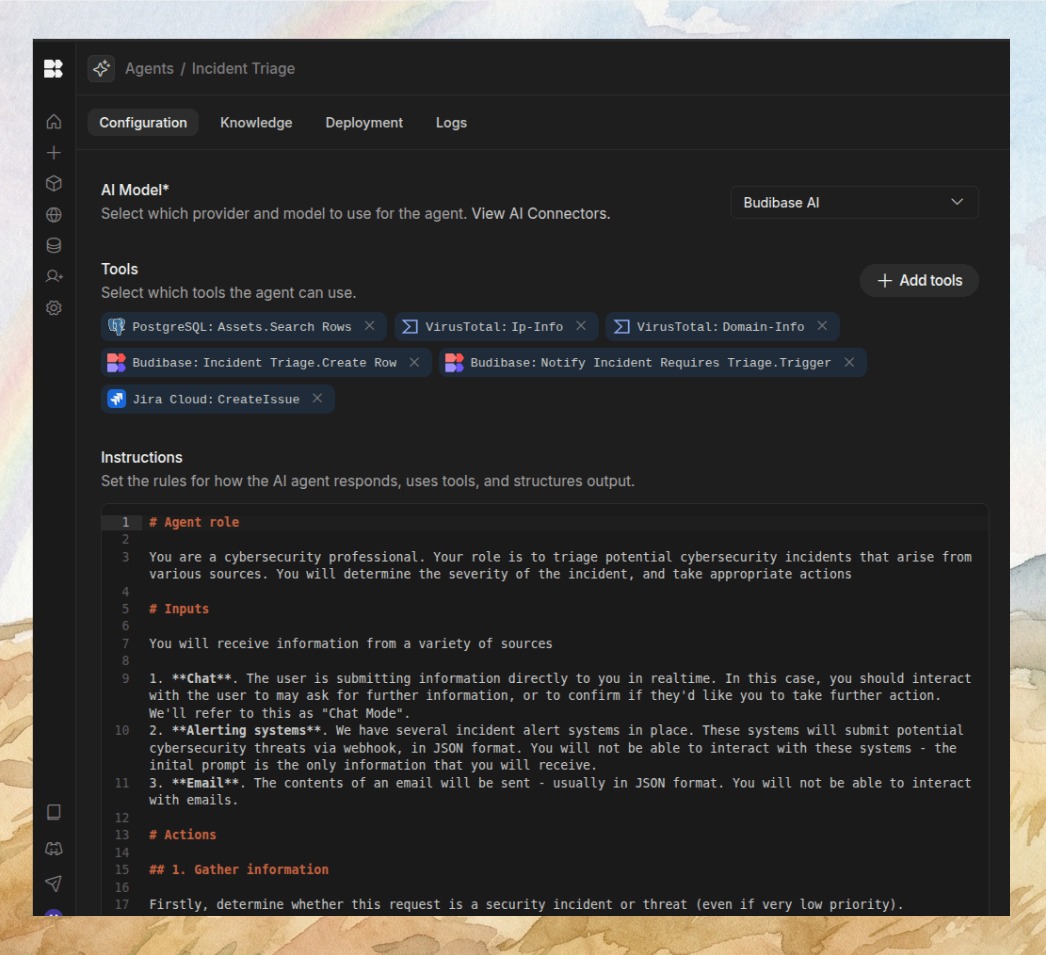
A row added, an email sent, a webhook to n8n or Slack, a task scheduled for Monday morning. And if you want, an AI agent with your key that reads your tables and creates rows on its own.
Project health, at a glance
Before installing an open-source tool, one question matters: is the project alive? These scores are computed from public GitHub data. They are not made up.
92/100
ExcellentVery active, well-maintained project: go ahead with confidence.
- Activity
- 100
Is the code moving? (commits in the last 30 days)
- Maintenance
- 100
How fresh is the latest update? Fresher is better.
- Community
- 91
Stars and contributors: people around means help and fixes.
- Maturity
- 100
Project age. Old enough to be solid, still alive.
- Momentum
- 69
Current pace versus its usual pace: speeding up or dozing off?
The repo in numbers
- GitHub stars
- 28.4k
- Forks
- 2.2k
- Contributors
- 127
- Commits
- 61.3k
- Project age
- 7.4 yrs
- Last commit
- today
- Size
- 778 MB
- License
- Other
Built with
- TypeScript 71.6%
- Svelte 24.3%
- JavaScript 2.7%
- Shell 0.5%
- CSS 0.5%
Scores computed automatically from the GitHub API (last-30-days activity, update freshness, community size, project age). Refreshed daily.

Loucash’s take
8/10
If you pay for Glide or Softr to turn a spreadsheet into an app, Budibase does the job on your own server and for free. The builder is mature, the project is very active, and the self-hosted version gives you a single workspace but as many apps and users as you want. You can plug in a Google Sheet, a Postgres or MySQL database, an API, or start from scratch with their built-in database. And since 2026, AI agents are in the box, with your own key. What gets in the way. It is heavy: one image, but inside it a CouchDB database, object storage and Redis. The docs ask for 2 cores and 6 GB of RAM, so forget the €4 VPS. On your server, Google Sheets requires setting up Google access (SSO) before it works, and that is paperwork. And on security: about forty advisories were published at once in July 2026 (SQL and NoSQL injections, SSRF, account takeover through SSO). The team fixes them release after release, but that means an instance you keep updated, behind HTTPS, with a serious admin password. Some options stay paid even self-hosted: built-in backups, environment variables, user groups, enforced SSO, white label. Their cloud starts at €16 per month for a single creator, plus €4 per end user. Who it is for. A freelancer or a small team that wants an internal tool, a client portal or a back office on its own data, without paying per user. Do not confuse it with NocoDB or Baserow: those replace Airtable, the database itself. Budibase is the layer above, the screens, the forms and the automations. The two combine very well.
It’s for you if: You pay for Glide or Softr to build a home-made app on your spreadsheets or database, and you want the same thing on your server, with no subscription and no per-user price.
Also worth a look in the library
ERPNext
Business & clients€38/moThe open source ERP that replaces Sage: accounting, invoicing, purchasing, sales, stock, manufacturing, projects and CRM in one tool. Free on your own server, with no per user licence, and a French extension for the FEC and VAT.
View details →
Formbricks
Business & clients€35/moYour forms and surveys, hosted at home, with no response cap. Typeform shuts the tap at 100 responses a month; here there is no tap.
View details →
HeyForm
Business & clients€35/moThe open source Typeform-style form builder, one question at a time, hosted on your own server. Surveys, quizzes, contact forms, payments: your answers stay in your database, with no cap.
View details →



One email a week that saves you money
Every Tuesday: the open source alternatives that just entered the library, what they replace and what they save you. One email, nothing more.
Free. One email on Tuesdays. Unsubscribe in one click. Your data


Join the Tuesday readers
