
ERPNext
NewThe free alternative toSage

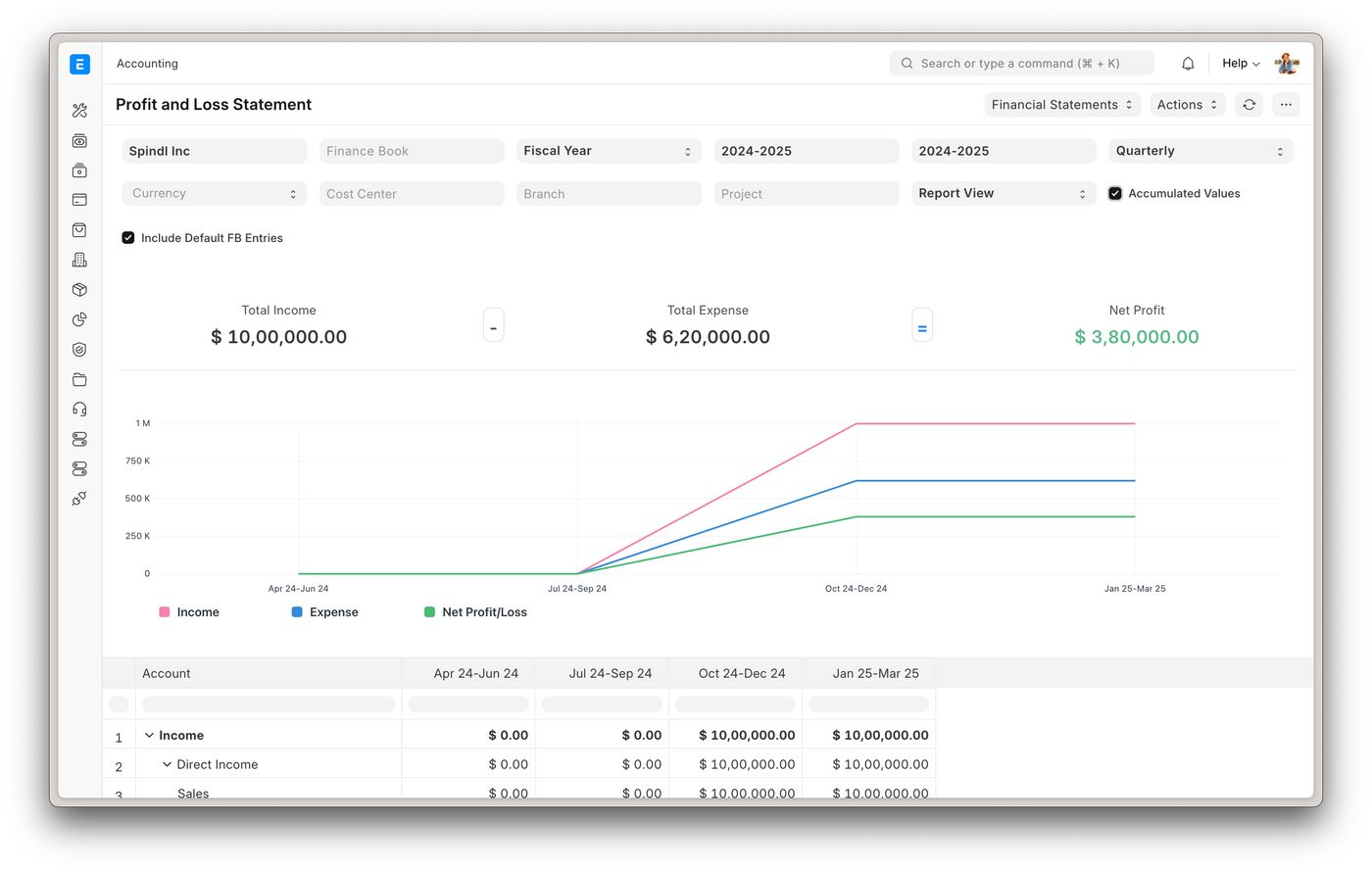
ERPNext is no small invoicing tool: it is a complete ERP, open source for more than fifteen years, with close to 40,000 stars on GitHub, close to a thousand contributors and updates every week. In a single tool you run accounting, invoicing, quotes, purchasing, stock, manufacturing with bills of materials and work orders, projects and a CRM. Its publisher, Frappe, says it plainly: no hidden paid features, all the code is under the GPL-3.0 licence. It lives off hosting, not licences. For France, the interface is translated and the 2025 French chart of accounts is included. An extension, ERPNext France, maintained by a French cooperative Frappe handed it to, adds what the law requires: the accounting entries file (FEC) to hand over during a tax audit, VAT number checks, deposit invoices, a ban on deleting invoices, and journal exports to Sage and Ciel for your accountant. Two ways to use it: on your own server with Docker, free and with no user limit, or at Frappe Cloud from about €4 a month, billed on usage rather than per person. What to know before leaving Sage: an ERP needs setting up, count several days to get it running. And since 1 September 2026, e-invoicing between French businesses goes through an approved platform: ERPNext is not one, it has to be connected to one.
Versus Sage: the match
Price
ERPNext
€0 on your server, or about €4/month at Frappe Cloud
Sage
€38 excl. VAT/month for Sage 50, Sage 100 on quote
Users
ERPNext
Unlimited, hosting is not paid per head
Sage
Three at most on Sage 50
What is covered
ERPNext
Accounting, sales, purchasing, stock, manufacturing, projects, CRM
Sage
Accounting and sales management, the rest as options
| VS | ERPNext | Sage ↗ |
|---|---|---|
| Price | €0 on your server, or about €4/month at Frappe Cloud | €38 excl. VAT/month for Sage 50, Sage 100 on quote |
| Users | Unlimited, hosting is not paid per head | Three at most on Sage 50 |
| What is covered | Accounting, sales, purchasing, stock, manufacturing, projects, CRM | Accounting and sales management, the rest as options |
| French legal requirements | 2025 chart of accounts; FEC and VAT with the ERPNext France extension | Built in |
| E-invoicing | To be connected to an approved platform | Compatible, according to Sage |
| For your accountant | Journal exports to Sage and Ciel with the extension | Native |
| Setup | Several days of configuration | Quick for Sage 50, an integrator for Sage 100 |
How to install it (even from zero)
An ERP does not go live in five minutes: the prompt starts from your answers (size, stock, accountant), picks the hosting, installs ERPNext and the French extension, then prepares moving your Sage data over.
- 1
Paste this prompt into Claude (Code or Desktop)
It first asks the questions that decide everything, then installs and configures ERPNext for France:
Je veux remplacer Sage par ERPNext, l'ERP open source (dépôt GitHub frappe/erpnext, site frappe.io/erpnext). Pose-moi d'abord les questions qui décident de tout : ma forme juridique, mon nombre de salariés, si je vends des produits en stock ou des services, et si mon expert-comptable travaille sous Sage. Aide-moi ensuite à choisir entre l'hébergement Frappe Cloud (à partir de 5 dollars par mois, facturé à l'usage) et mon propre serveur. Sur mon serveur, installe ERPNext avec le dépôt officiel frappe/frappe_docker, dis-moi ce qu'il faut comme machine et comment sauvegarder la base. Ajoute l'extension française scopen-coop/erpnext_france pour le fichier des écritures comptables (FEC), le contrôle des numéros de TVA et l'export des journaux vers Sage. Paramètre ma société avec le plan comptable général 2025, la TVA française et la numérotation de mes factures. Explique-moi comment relier ERPNext à une plateforme agréée pour la facture électronique, obligatoire entre entreprises depuis le 1er septembre 2026. Enfin, prépare avec moi la reprise de mes clients, fournisseurs, articles et soldes d'ouverture depuis Sage par import CSV.

Review the GitHub repository and check whether it is safe to install given my machine and my infrastructure. Ask me as many questions as possible, using widgets, to clarify my request and be as precise as you can.
- 2
Keep Sage for one financial year
Start ERPNext at the beginning of a financial year, with clean opening balances. Moving years of history over midway is the surest way to get lost.
- 3
Show it to your accountant
With the French extension, they get journals in Sage or Ciel format and the FEC. Check with them before switching Sage off.
 Paste this prompt into Claude (Code or Desktop)
What you actually do with it
Your whole business in one tool
A quote becomes an order, then an invoice, which leaves stock and lands in the books. No more retyping between tools.
Extra colleagues without extra licences
Sage 50 stops at three users. ERPNext does not count heads: you pay for the server, not for people.
Manufacturing and stock, not just accounting
Bills of materials, work orders, multiple warehouses, serial numbers: what Sage sells as modules, ERPNext has in the same code.
Project health, at a glance
Before installing an open-source tool, one question matters: is the project alive? These scores are computed from public GitHub data. They are not made up.
91/100
ExcellentVery active, well-maintained project: go ahead with confidence.
- Activity
- 100
- Maintenance
- 100
- Community
- 94
- Maturity
- 100
- Momentum
- 62
Is the code moving? (commits in the last 30 days)
How fresh is the latest update? Fresher is better.
Stars and contributors: people around means help and fixes.
Project age. Old enough to be solid, still alive.
Current pace versus its usual pace: speeding up or dozing off?
The repo in numbers
- GitHub stars
- 39.5k
- Forks
- 12.9k
- Contributors
- 281
- Commits
- 61.3k
- Project age
- 15.3 yrs
- Last commit
- today
- Size
- 1874.1 MB
- License
- GPL-3.0
Built with
- Python 79%
- JavaScript 14.1%
- TypeScript 4.6%
- HTML 1.7%
Scores computed automatically from the GitHub API (last-30-days activity, update freshness, community size, project age). Refreshed daily.

Loucash’s take
7/10
ERPNext is serious business: a real ERP, used by thousands of companies, from a publisher that lives off hosting rather than crippling the software. For a small company paying for Sage 100 and an integrator every year, or hitting Sage 50's three user limit, the saving can be huge. What I like: everything is connected. The quote, the stock, the invoice and the accounting entry live in the same place, and the French extension covers what your accountant will ask for, the FEC first. What may bite, and I would rather tell you: this is not software you install on a Friday night. It needs configuring, training, moving data over. Mandatory e-invoicing means plugging it into an approved platform. And if you work alone and only do bookkeeping, it is too big for you: keep a simple tool.
It’s for you if: You run a small or mid sized company with stock, manufacturing or several people on the admin side, you pay for Sage 100 or have outgrown Sage 50, and you have someone, in house or a partner, to set it up. If you are self employed and only care about bookkeeping, stay with a lighter tool.
Also worth a look in the library
Formbricks
Business & clients€35/moYour forms and surveys, hosted at home, with no response cap. Typeform shuts the tap at 100 responses a month; here there is no tap.
View details →
HeyForm
Business & clients€35/moThe open source Typeform-style form builder, one question at a time, hosted on your own server. Surveys, quizzes, contact forms, payments: your answers stay in your database, with no cap.
View details →
Twenty
Business & clients€25/moThe open source CRM you shape to your business: custom objects, kanban pipelines, workflows, synced email and calendar, AI agents. Replaces Salesforce and the CRM side of HubSpot, without paying per user.
View details →



One email a week that saves you money
Every Tuesday: the open source alternatives that just entered the library, what they replace and what they save you. One email, nothing more.
Free. One email on Tuesdays. Unsubscribe in one click.


Join the Tuesday readers
