
OpenCut
The free alternative toCapCut Pro

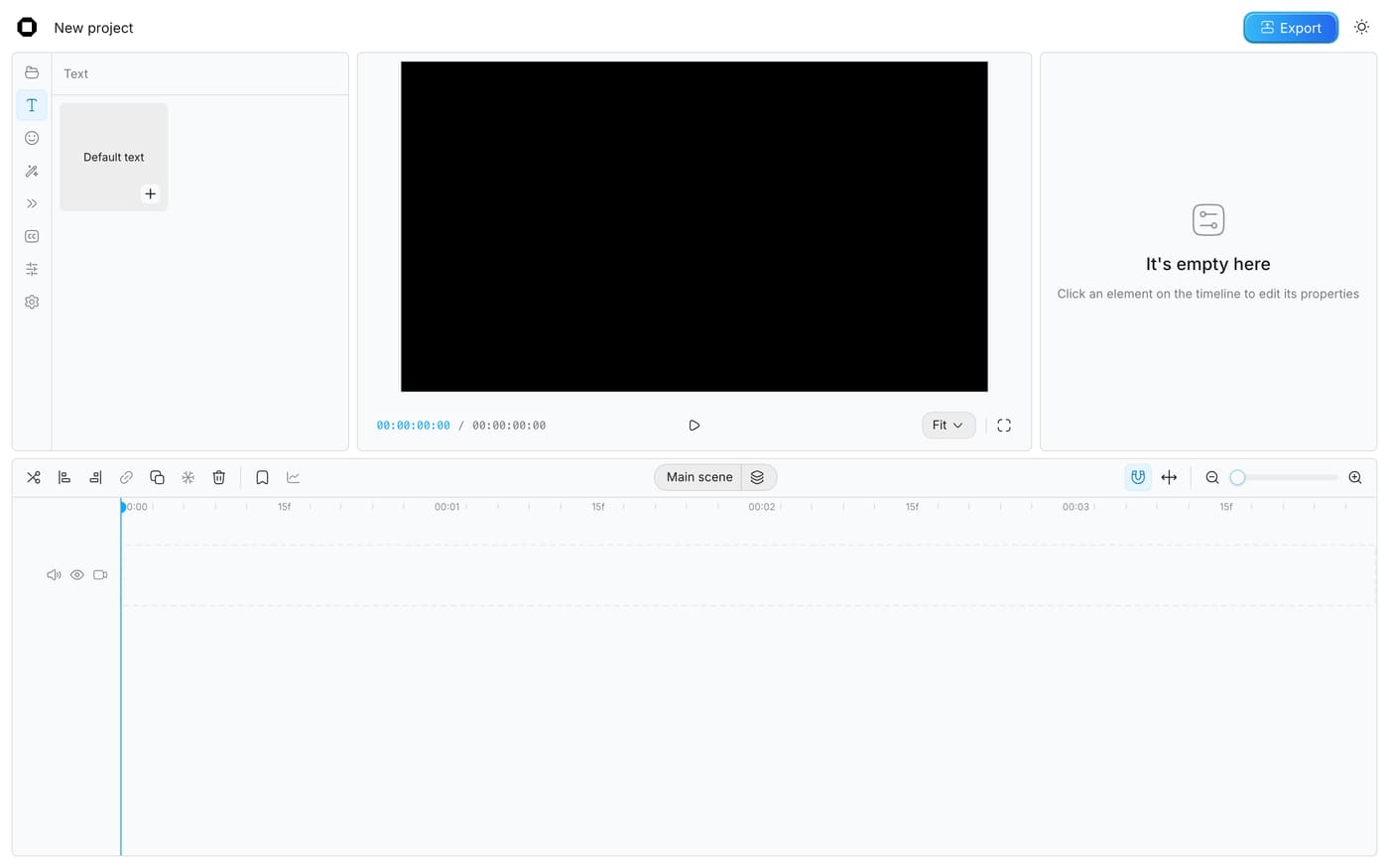
OpenCut is an open source alternative to CapCut, with one promise: an editor that stays simple, without basic features moved behind a subscription. It runs in your browser, on opencut.app, without an account: multitrack timeline, text, stickers, masks, keyframes with a curve editor, speed and volume, automatic or imported captions, MP4 export. Your files stay on your machine, and the code is MIT-licensed. Two things to know before you drop CapCut. It is a beta (version 0.3, April 2026): no effects library or templates, no mobile app yet. And the team is rewriting the whole engine: the old code is archived, the new version is not out yet. Meanwhile, the online editor is enough for a simple edit.
Versus CapCut Pro: the match
Price
OpenCut
€0, in your browser
CapCut Pro
€24/month on a monthly subscription
Where your videos live
OpenCut
On your machine, never uploaded
CapCut Pro
On CapCut's servers for online features
Automatic captions
OpenCut
Yes, generated in the browser, or imported
CapCut Pro
Yes
| VS | OpenCut | CapCut Pro ↗ |
|---|---|---|
| Price | €0, in your browser | €24/month on a monthly subscription |
| Where your videos live | On your machine, never uploaded | On CapCut's servers for online features |
| Automatic captions | Yes, generated in the browser, or imported | Yes |
| Masks, keyframes, speed | Yes, since version 0.3 | Yes |
| Effects, templates, AI | Few for now, it is a beta | Huge library, AI on Pro |
| Mobile app | Not yet, rewrite in progress | iOS and Android |
| Code | Open, MIT licence | Closed, ByteDance |
How to install it (even from zero)
Nothing to install: open opencut.app in Chrome or Edge and create a project. The prompt below walks you through your first edit with Claude at your side, and explains where the project stands if you want to host it yourself.
- 1
Paste this prompt into Claude (Code or Desktop)
It guides you through your first edit, from the vertical format to the export:
Je veux monter ma première vidéo avec OpenCut (l'éditeur vidéo open source dans le navigateur, dépôt GitHub OpenCut-app/OpenCut, site opencut.app) à la place de CapCut Pro. Explique-moi pas à pas, en me posant des questions au fur et à mesure : ouvrir opencut.app dans Chrome ou Edge (les navigateurs sans rendu GPU affichent un avertissement), créer un projet au format vertical 9:16 pour un Reel ou un Short, importer mes vidéos et ma musique, couper et ordonner les clips sur la timeline, ajouter un texte et des sous-titres automatiques, régler la vitesse et le volume, puis exporter en MP4. Rappelle-moi que mes fichiers restent dans mon navigateur et que je dois exporter avant de vider les données du site. Si je préfère héberger l'éditeur moi-même, explique-moi que le code de la version actuelle est archivé (dépôt OpenCut-app/opencut-classic, Docker Compose) et que la réécriture du dépôt principal n'est pas encore publiée.

Review the GitHub repository and check whether it is safe to install given my machine and my infrastructure. Ask me as many questions as possible, using widgets, to clarify my request and be as precise as you can.
- 2
Pick the format before importing
9:16 for Instagram and TikTok, 16:9 for YouTube: the canvas is set in the project settings, as a preset or a free size.
- 3
Export before closing
Your projects live in the browser storage: export your MP4, and do not clear the site data before you have your video.
 Paste this prompt into Claude (Code or Desktop)
What you actually do with it
A Reel edited in ten minutes
Vertical format, three trimmed clips, a text, generated captions: everything you need for a short video, without a subscription.
Videos that never leave home
Client footage, behind the scenes, internal videos: nothing is uploaded to a server, everything happens in your browser.
A clean edit without learning Premiere
Masks, keyframes, speed, volume: the settings that matter, in an interface that looks like what you already know.
Project health, at a glance
Before installing an open-source tool, one question matters: is the project alive? These scores are computed from public GitHub data. They are not made up.
46/100
FairDecent project, keep an eye on it over time.
- Activity
- 0
Is the code moving? (commits in the last 30 days)
- Maintenance
- 60
How fresh is the latest update? Fresher is better.
- Community
- 99
Stars and contributors: people around means help and fixes.
- Maturity
- 70
Project age. Old enough to be solid, still alive.
- Momentum
- 0
Current pace versus its usual pace: speeding up or dozing off?
The repo in numbers
- GitHub stars
- 97.1k
- Forks
- 9.7k
- Contributors
- 97
- Commits
- 1.6k
- Project age
- 1.4 yrs
- Last commit
- 39 d ago
- Size
- 27.6 MB
- License
- MIT
Built with
- TypeScript 83.8%
- Rust 14.4%
- CSS 1.7%
Scores computed automatically from the GitHub API (last-30-days activity, update freshness, community size, project age). Refreshed daily.

Loucash’s take
6/10
It is the card you asked for the most, and I get why: CapCut moved its basic features behind a subscription, and OpenCut brings them back for free, in the browser, without an account and without uploading your videos anywhere. For a Reel, a Short or a simple video it does the job, and version 0.3 added what was missing most: masks, keyframe curves, speed, captions. What keeps me from rating it higher: it is a beta, and the project sits between two versions. The team is rewriting the whole engine in Rust to ship a real desktop and mobile app; meanwhile the old code is archived, the main repository barely moves, and the online editor has no effects library, no templates, no AI. If you live off CapCut for its templates and effects, you will miss them. If you want to cut, caption and export without paying €24 a month, go for it, and watch for the new release.
It’s for you if: You edit short or simple videos, you pay CapCut Pro mostly to lift the limits, and you want your footage to stay home. If your edits rely on CapCut's templates and effects, wait for the new version.
Also worth a look in the library
PhotoCraft
Content & social€27/moThe open source Photoshop, rewritten from scratch: layers, masks, adjustment layers, styles, type, vectors, brushes and real PSD files. Free, offline and with no account, still in alpha.
View details →
FilmCraft
Content & social€27/moThe open source Premiere Pro, rewritten from scratch: multitrack timeline, trims, Lumetri-style grading, effects, audio mixing, captions and export. Free, with no account, still in alpha.
View details →
VectorCraft
Content & social€27/moThe open source Illustrator, rewritten from scratch: pen, Pathfinder, Shape Builder, gradients, type, layers, and SVG, PDF and PDF-compatible .ai files. Free, with no account, still in alpha.
View details →



One email a week that saves you money
Every Tuesday: the open source alternatives that just entered the library, what they replace and what they save you. One email, nothing more.
Free. One email on Tuesdays. Unsubscribe in one click. Your data


Join the Tuesday readers
