
Snapzy
NewThe free alternative toScreen Studio,CleanShot X


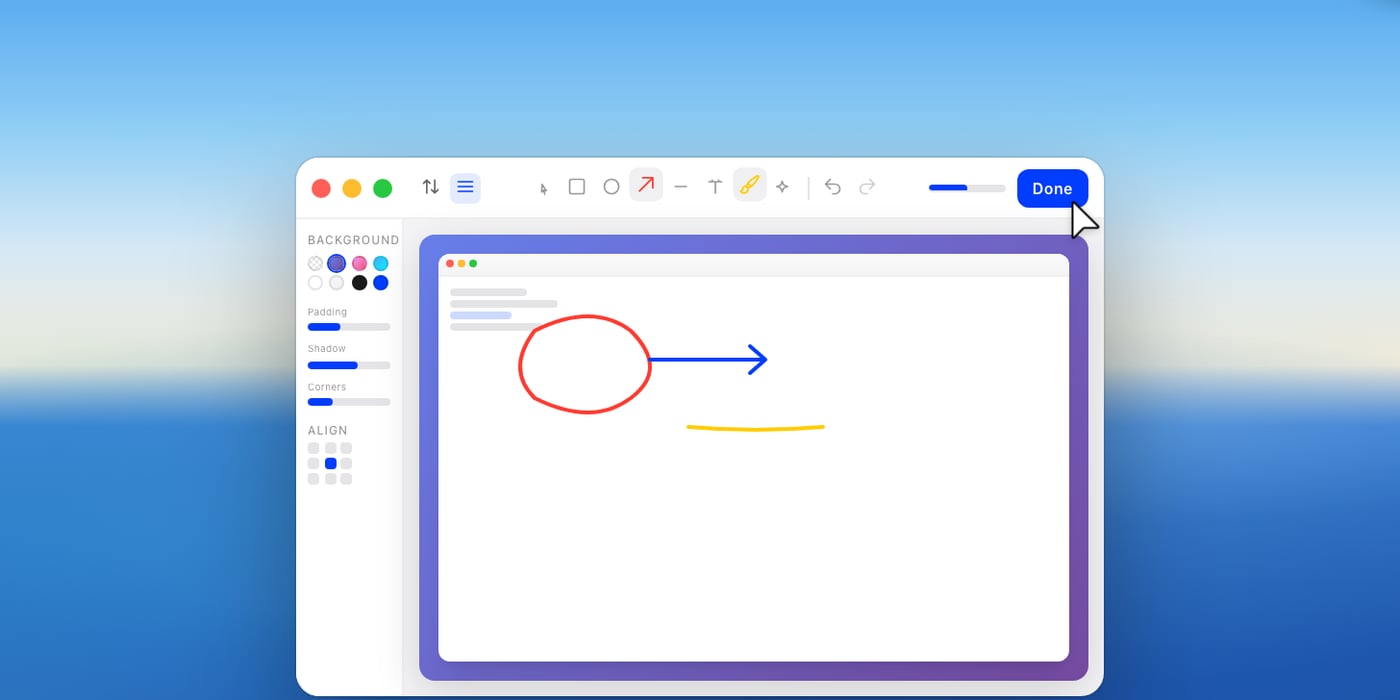
Snapzy is a real Mac app, light and living in the menu bar, that brings two paid tools together. On the screenshot side, CleanShot X style: an area, a window or the whole screen, a scrolling capture for a full page, the text in an image copied with one shortcut, a cut out subject, then an editor to add arrows, shapes, text, highlighter, counters, blur (it even spots sensitive info by itself), and a nice background in one click. On the video side, Screen Studio style: recording as video or GIF with your computer's sound and the microphone, your webcam as an overlay (your iPhone can be the camera), your clicks and keyboard shortcuts highlighted. The editor adds zooms that follow your mouse or that you place by hand, speed ups, a background, padding, a shadow, rounded corners and the dimensions you want, vertical format included. After each capture, a small panel lets you copy, edit or drag the file into another app, and the history keeps everything. The interface speaks French, link sharing goes through your own Amazon S3 or Cloudflare R2 storage, and nothing leaves your Mac without your consent. The project is BSD licensed, with more than 3,000 stars on GitHub in under a year, funded by donations: there is no paid version at all. It runs on macOS 13 or later, on Intel and Apple Silicon Macs, and the app is signed and notarized by Apple. What it does not do yet compared to Screen Studio: smoothing the cursor and enlarging it after recording, motion blur, automatic subtitles and audio clean up.
Versus Screen Studio: the match
Price
Snapzy
€0, no subscription
Screen Studio
€25/month, or €8/month yearly
Zooms that follow the mouse
Snapzy
Yes, adjustable
Screen Studio
Yes, the reference
Cursor smoothed and enlarged afterwards
Snapzy
No
Screen Studio
Yes
| VS | Snapzy | Screen Studio ↗ |
|---|---|---|
| Price | €0, no subscription | €25/month, or €8/month yearly |
| Zooms that follow the mouse | Yes, adjustable | Yes, the reference |
| Cursor smoothed and enlarged afterwards | No | Yes |
| Backgrounds, padding, vertical format | Yes | Yes |
| Annotated screenshots | Yes, CleanShot X style | No, video only |
| Link sharing | Through your S3 or R2 storage | Links included |
| Subtitles and audio clean up | No | Yes, on your machine |
How to install it (even from zero)
A native Mac app, signed and notarized by Apple: one Homebrew command or a .dmg file, then the screen recording permissions.
- 1
Paste this prompt into Claude (Code or Desktop)
It installs the app from the official repo, helps you grant the permissions and walks you through your first Screen Studio style video:
Installe Snapzy sur mon Mac : c'est l'app open source de captures et d'enregistrement d'écran qui remplace Screen Studio et CleanShot X (dépôt GitHub duongductrong/Snapzy, site snapzy.app). Vérifie d'abord que mon Mac est sous macOS 13 ou plus récent. Installe-le avec Homebrew (brew install --cask snapzy) ou, si je n'ai pas Homebrew, télécharge le dernier fichier .dmg depuis github.com/duongductrong/Snapzy/releases et place l'app dans Applications. Guide-moi pour donner les autorisations d'enregistrement de l'écran, du micro et de la caméra dans les Réglages Système, puis relance l'app. Mets l'interface en français et montre-moi les raccourcis utiles : capture d'une zone, capture défilante, texte à copier, enregistrement. Vérifie aussi qu'ils n'entrent pas en conflit avec les raccourcis de captures de macOS. Ensuite, fais avec moi une première vidéo façon Screen Studio : un enregistrement avec les clics mis en valeur, puis, dans l'éditeur, des zooms qui suivent la souris, un fond, des marges et un export au format vertical pour les réseaux. Explique chaque étape simplement, je débute.

Review the GitHub repository and check whether it is safe to install given my machine and my infrastructure. Ask me as many questions as possible, using widgets, to clarify my request and be as precise as you can.
- 2
If permissions break after an update
macOS sometimes asks for screen access again after an app update. The repo ships a script that resets the permissions, and the website explains the steps.
- 3
Connect your storage to share by link
To send a video by link without going through a third party, add your Amazon S3 or Cloudflare R2 storage in the settings: your files stay with you.
 Paste this prompt into Claude (Code or Desktop)
What you actually do with it
Your product demos with no subscription
Record your screen, add zooms that follow your mouse and a nice background: the Screen Studio look, without the 29 dollars a month.
Your annotated screenshots in two seconds
An area, an arrow, some text, a blur on sensitive info, and it is copied: the CleanShot X habit, for free.
Videos ready for social media
Pick the vertical format at export, keep your webcam as an overlay: your demo goes out as is as a Reel or a TikTok.
Project health, at a glance
Before installing an open-source tool, one question matters: is the project alive? These scores are computed from public GitHub data. They are not made up.
69/100
GoodHealthy, followed project: a good everyday choice.
- Activity
- 100
- Maintenance
- 100
- Community
- 63
- Maturity
- 55
- Momentum
- 27
Is the code moving? (commits in the last 30 days)
How fresh is the latest update? Fresher is better.
Stars and contributors: people around means help and fixes.
Project age. Old enough to be solid, still alive.
Current pace versus its usual pace: speeding up or dozing off?
The repo in numbers
- GitHub stars
- 3.2k
- Forks
- 183
- Contributors
- 30
- Commits
- 1.3k
- Project age
- 0.7 yrs
- Last commit
- today
- Size
- 52.7 MB
- License
- BSD-3-Clause
Built with
- Swift 97.8%
- Shell 2%
Scores computed automatically from the GitHub API (last-30-days activity, update freshness, community size, project age). Refreshed daily.

Loucash’s take
8/10
For a free tool, Snapzy does a lot: CleanShot X's annotated screenshots, plus a good part of Screen Studio, with zooms that follow the mouse, backgrounds and the vertical format. Everything stays on your Mac, with no account and no subscription. What I like: it is a real Mac app, light and notarized by Apple, installed with one command. And link sharing goes through your own storage, not their servers. Why 8 and not more: it still lacks what makes Screen Studio magic, the smoothed cursor you enlarge afterwards, motion blur, subtitles and audio clean up. The project is under a year old and moves fast, with releases almost every week. And it only runs on Mac.
It’s for you if: You make annotated screenshots and video demos on a Mac, and you no longer want to pay for CleanShot X or the Screen Studio subscription. If you sell very polished videos where the cursor must glide perfectly, Screen Studio keeps an edge.
Also worth a look in the library
OpenCut
Content & social€24/moThe open source video editor that takes on CapCut: multitrack timeline, masks, keyframes, automatic captions, watermark free MP4 export, right in your browser. Your videos never leave your machine, and there is no account and no subscription.
View details →
Postiz
Content & social€20/moSchedule your posts and track your Instagram/TikTok stats, self-hosted. The others charge per channel AND per feature: this one is genuinely free.
View details →
Penpot
Content & social€20/moThe open source design tool that replaces Figma: mockups, clickable prototypes, component libraries, live collaboration. The online version is free and complete, with no file counter, and you can host it on your own server.
View details →


One email a week that saves you money
Every Tuesday: the open source alternatives that just entered the library, what they replace and what they save you. One email, nothing more.
Free. One email on Tuesdays. Unsubscribe in one click.


Join the Tuesday readers
