
Diffusion Studio
NewThe free alternative toCapCut Pro

Diffusion Studio is an open source video editor (MPL 2.0 licence) built to be driven by your coding agent. It replaces CapCut Pro for editing and export. You drop your footage in a folder and ask Claude Code: cut the silences, build a vertical edit, make a promo video from your website, animate titles, cut out a person. Every change is written as code, and you take over on the timeline. The desktop app is free (Apple Silicon Mac or Windows), with a mandatory account, and exports up to 4K without a watermark. The limit: as soon as the AI has to listen to or watch your video (transcription, automatic captions, best moments), it uses credits: 50 free once, then the Pro plan, about €22 a month.
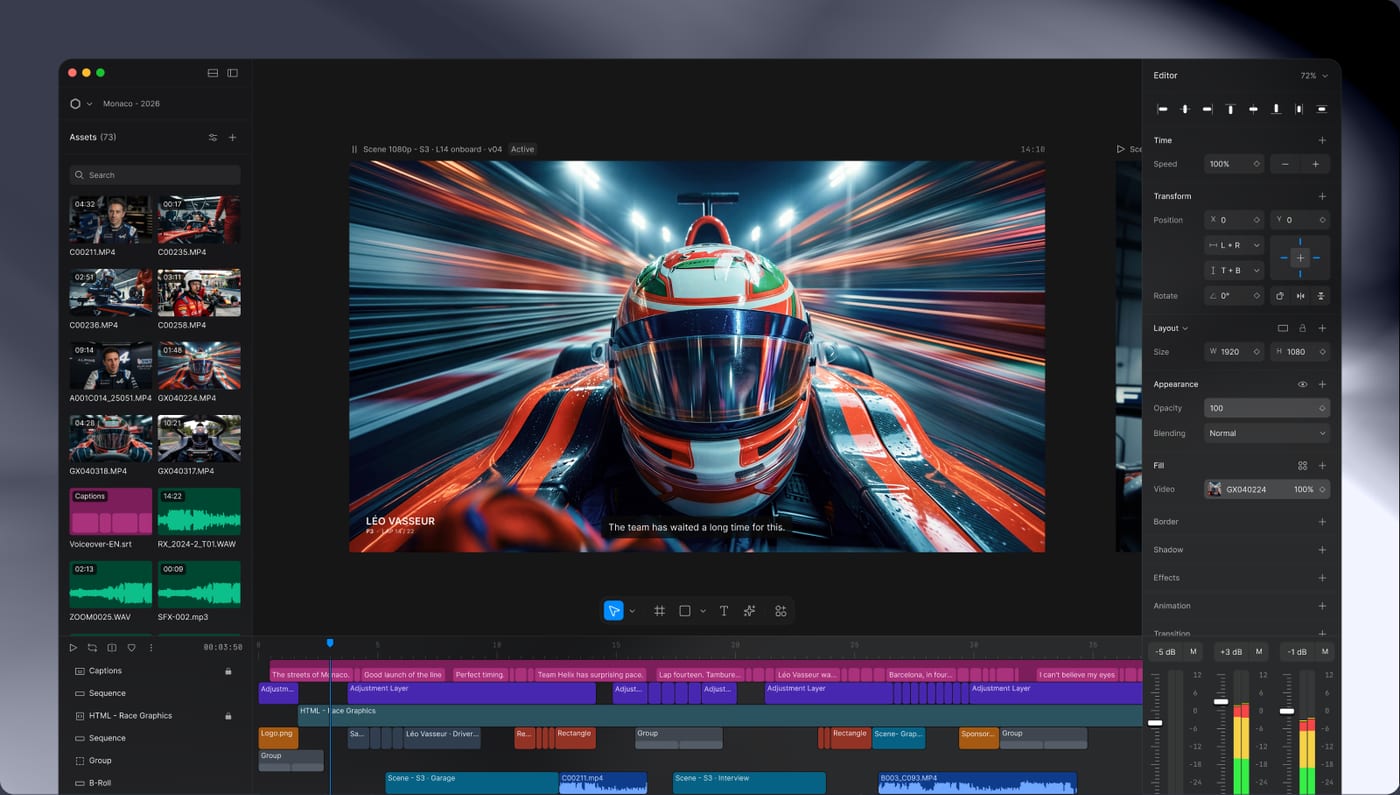
Versus CapCut Pro: the match
Price
Diffusion Studio
€0 to edit and export, paid credits for the AI
CapCut Pro
€24/month on a monthly subscription
Who edits
Diffusion Studio
You, or Claude Code, Codex, Cursor connected to the editor
CapCut Pro
You, with the app's AI on Pro
Automatic captions
Diffusion Studio
With credits (50 free once), or free if you import an .srt file
CapCut Pro
Yes
| VS | Diffusion Studio | CapCut Pro ↗ |
|---|---|---|
| Price | €0 to edit and export, paid credits for the AI | €24/month on a monthly subscription |
| Who edits | You, or Claude Code, Codex, Cursor connected to the editor | You, with the app's AI on Pro |
| Automatic captions | With credits (50 free once), or free if you import an .srt file | Yes |
| Animations and motion graphics | Written as code by your agent, editable in the editor | Huge library of templates and effects |
| Where your videos live | In a folder on your machine; the audio goes to their servers when the AI transcribes | On CapCut's servers for online features |
| Mobile app | No, Apple Silicon Mac and Windows | iOS and Android |
| Code | Open, MPL 2.0 licence | Closed, ByteDance |
How to install it (even from zero)
A desktop app to install (Apple Silicon Mac or Windows), a free account to create, then Claude Code to connect from the settings. Count ten minutes: the prompt does the install and starts your first edit.
- 1
Paste this prompt into Claude Code
It installs the app from the official repository, connects Claude Code and starts a first edit while avoiding credits:
Je veux installer Diffusion Studio (l'éditeur vidéo open source piloté par les agents de code, dépôt GitHub diffusionstudio/editor, site diffusion.studio) et l'utiliser avec Claude Code à la place de CapCut Pro. Guide-moi pas à pas, en me posant des questions. Vérifie d'abord ma machine : il faut un Mac Apple Silicon (M1 ou plus récent, macOS 12 minimum) ou un PC Windows x64. Installe l'appli depuis les releases officielles du dépôt diffusionstudio/editor : sur Mac avec Homebrew (brew install --cask diffusionstudio/tap/editor) ou avec le fichier Diffusion-Studio-arm64.dmg, sur Windows avec Diffusion-Studio-x64-Setup.exe. Ouvre l'appli et laisse-moi créer mon compte gratuit (Google, GitHub ou lien par e-mail). Ensuite, dans Settings, rubrique MCP & CLI, connecte Claude Code et installe la commande dapi, puis vérifie avec dapi --help. Si j'ai Node, ajoute aussi les skills officiels (npx skills add diffusionstudio/skills). Puis crée un dossier de projet, copie mes rushes dedans, ouvre-le avec dapi open et lance un premier montage : un Reel vertical 1080 x 1920 sans les silences, avec un titre animé, exporté en MP4. Règle importante : la transcription, les sous-titres automatiques, l'analyse de mes vidéos par l'IA et la génération d'images, de vidéos ou de voix consomment des crédits payants (50 offerts une seule fois). Demande-moi toujours avant d'en utiliser, et privilégie ce qui est gratuit : la forme d'onde pour repérer les silences, les captures d'images pour vérifier, l'export.

Review the GitHub repository and check whether it is safe to install given my machine and my infrastructure. Ask me as many questions as possible, using widgets, to clarify my request and be as precise as you can.
- 2
Connect your agent in one click
In Settings, under MCP & CLI: Claude Code, Claude Desktop, Codex, Cursor, Copilot or Gemini CLI. You can also talk to Claude Code or Codex in the editor's Chat tab, with your own subscription.
- 3
Know what costs credits
Free: editing, animations, silence detection, cutting out a person or an object, export. In credits: transcription, automatic captions, footage analysis and image, video or voice generation. Captions imported from an .srt file cost nothing.
 Paste this prompt into Claude Code
What you actually do with it
A promo video written by Claude
Give it your website address: Claude picks up your colours and composes a 20 second animated video with a call to action, which you then polish in the editor.
A talking head without the dead air
Claude spots the silences on the waveform, without spending a credit, and puts the good takes back to back. To also cut the hesitations word by word, it needs the transcription, so credits.
Titles and scenes as code
An animated title, a lower third with your name and job, a 3D scene, a colour effect on your video: Claude writes each element as code, and you adjust it with the mouse afterwards.
Project health, at a glance
Before installing an open-source tool, one question matters: is the project alive? These scores are computed from public GitHub data. They are not made up.
69/100
GoodHealthy, followed project: a good everyday choice.
- Activity
- 100
Is the code moving? (commits in the last 30 days)
- Maintenance
- 100
How fresh is the latest update? Fresher is better.
- Community
- 58
Stars and contributors: people around means help and fixes.
- Maturity
- 40
Project age. Old enough to be solid, still alive.
- Momentum
- 46
Current pace versus its usual pace: speeding up or dozing off?
The repo in numbers
- GitHub stars
- 3.2k
- Forks
- 294
- Contributors
- 2
- Commits
- 661
- Project age
- 0.3 yrs
- Last commit
- today
- Size
- 20.4 MB
- License
- MPL-2.0
Built with
- TypeScript 97.7%
- JavaScript 0.8%
- Python 0.6%
Scores computed automatically from the GitHub API (last-30-days activity, update freshness, community size, project age). Refreshed daily.

Loucash’s take
6/10
Diffusion Studio is the first video editor I have seen built for Claude Code: you give it your footage and a brief, it edits and animates, then you take over on a real timeline. Editing, animations and export up to 4K are free, with no watermark. What I like: every change is written as code, so Claude always sees the latest version. You can ask it for a promo video from your website, or animated titles that you then adjust with the mouse. Why 6 and not more: you need an account with them, and everything that requires the AI to listen to your video (transcription, automatic captions, best moments) is paid in credits, with no way to plug in your own key. The project is three months old, still in alpha, and relies almost entirely on a single developer.
It’s for you if: You already work with Claude Code and want it to edit and animate your videos for you, on an Apple Silicon Mac or a Windows PC. If you mostly want free automatic captions for your Reels, OpenCut does better, with no account. And to cut a long podcast into clips, that part is paid in credits: it does not replace OpusClip.
Also worth a look in the library
Snapzy
Content & social€25/moThe free native Mac app that replaces Screen Studio and CleanShot X: annotated screenshots, screen recordings, zooms that follow your mouse and nice backgrounds. Everything stays on your Mac, with no account and no subscription.
View details →
OpenCut
Content & social€24/moThe open source video editor that takes on CapCut: multitrack timeline, masks, keyframes, automatic captions, watermark free MP4 export, right in your browser. Your videos never leave your machine, and there is no account and no subscription.
View details →
Postiz
Content & social€20/moSchedule your posts and track your Instagram/TikTok stats, self-hosted. The others charge per channel AND per feature: this one is genuinely free.
View details →



One email a week that saves you money
Every Tuesday: the open source alternatives that just entered the library, what they replace and what they save you. One email, nothing more.
Free. One email on Tuesdays. Unsubscribe in one click. Your data


Join the Tuesday readers
