
DocuSeal
The free alternative toDocuSign

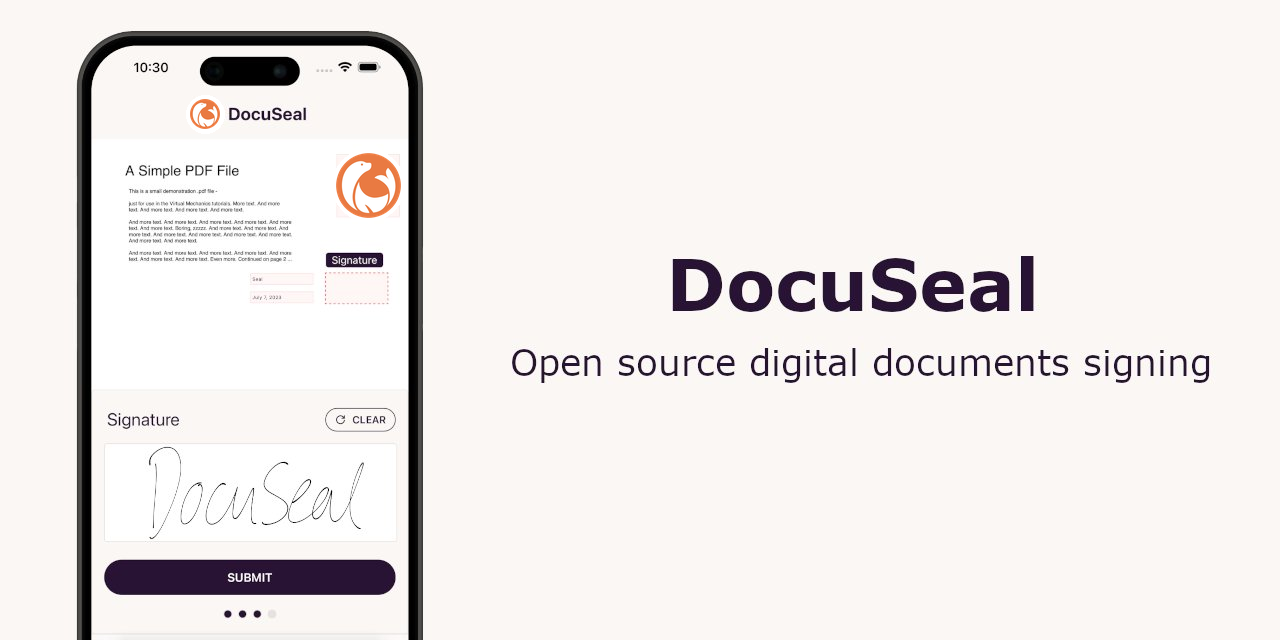
DocuSeal does what you pay DocuSign for. You drop a PDF (quote, contract, terms), place the fields to fill (signature, date, checkbox, payment), add the signers and send by email. Everyone signs from their phone or computer, no account needed, and everyone gets the final document with its audit trail. Signatures are eIDAS compliant in Europe and ESIGN in the US. You can also chain signers in order, reuse templates, plug webhooks into n8n or Make, or generate documents from your own tool through the API. Setup: one Docker image, a SQLite database by default (or Postgres), AGPL-3.0 licence. Otherwise, the team sells a cloud version at €20 per user.
Versus DocuSign: the match
Price
DocuSeal
€0, plus a small VPS for a few euros a month
DocuSign
€9 a month yearly, €23 per user on Standard
Sends per month
DocuSeal
No limit
DocuSign
5 on Personal, 10 on Standard
Users
DocuSeal
Your team, no extra cost
DocuSign
1 on Personal, paid per seat after
| VS | DocuSeal | DocuSign ↗ |
|---|---|---|
| Price | €0, plus a small VPS for a few euros a month | €9 a month yearly, €23 per user on Standard |
| Sends per month | No limit | 5 on Personal, 10 on Standard |
| Users | Your team, no extra cost | 1 on Personal, paid per seat after |
| Reusable templates | No limit | Depends on the plan |
| Legal value | eIDAS and ESIGN, audit trail included | eIDAS and ESIGN, audit trail included |
| Where your contracts live | On your server | With them |
How to install it (even from zero)
One Docker image, a domain name, an email account for the sends. The prompt installs, sets up HTTPS and tests a first signature. Count ten minutes.
- 1
Paste this prompt into Claude (Code or Desktop)
It deploys DocuSeal from the official project with Docker Compose, wires your domain over HTTPS and checks a first send:
Installe DocuSeal sur mon serveur (la signature électronique open source, repo GitHub docusealco/docuseal) avec Docker Compose, en suivant la doc officielle docuseal.com/install. Pars de zéro : vérifie que Docker et Docker Compose sont présents, sinon installe-les. Récupère le docker-compose.yml officiel du dépôt (image docuseal/docuseal, port 3000, volume /data pour garder les documents) et lance-le avec la variable HOST réglée sur mon nom de domaine pour que le certificat HTTPS soit créé automatiquement. Ne publie pas le port 3000 en clair sur internet. Ouvre l'adresse, crée mon compte administrateur, puis configure dans les réglages l'envoi des mails (SMTP de ma boîte ou d'un service comme Brevo) pour que les demandes de signature partent. Vérifie en créant un modèle depuis un PDF de test avec un champ signature, en l'envoyant à mon adresse et en le signant. Explique chaque étape simplement, je débute.

Review the GitHub repository and check whether it is safe to install given my machine and my infrastructure. Ask me as many questions as possible, using widgets, to clarify my request and be as precise as you can.
- 2
Prepare your templates once and for all
Quote, service contract, mandate: you place the fields once, then every send takes thirty seconds.
- 3
Back up the data folder
Your signed contracts live in the /data volume. An automatic copy elsewhere (the VPS does it in one line) and you sleep well.
 Paste this prompt into Claude (Code or Desktop)
What you actually do with it
Get a quote or a service contract signed
Your client gets an email, signs on their phone, everyone receives the signed PDF with the proof. No more “I will send it back scanned”.
Onboard a client with a complete file
Mandate, terms, bank details to attach, GDPR checkbox: one send, several signers in order if needed.
Generate contracts from your own tool
With the API and webhooks, your CRM or n8n creates the document, sends it and files the signed PDF, without you touching anything.
Project health, at a glance
Before installing an open-source tool, one question matters: is the project alive? These scores are computed from public GitHub data. They are not made up.
83/100
ExcellentVery active, well-maintained project: go ahead with confidence.
- Activity
- 100
Is the code moving? (commits in the last 30 days)
- Maintenance
- 100
How fresh is the latest update? Fresher is better.
- Community
- 72
Stars and contributors: people around means help and fixes.
- Maturity
- 90
Project age. Old enough to be solid, still alive.
- Momentum
- 54
Current pace versus its usual pace: speeding up or dozing off?
The repo in numbers
- GitHub stars
- 19k
- Forks
- 1.9k
- Contributors
- 6
- Commits
- 3.2k
- Project age
- 3.3 yrs
- Last commit
- 5 d ago
- Size
- 7.8 MB
- License
- AGPL-3.0
Built with
- Ruby 37%
- Vue 28.9%
- HTML 20.2%
- JavaScript 13.5%
Scores computed automatically from the GitHub API (last-30-days activity, update freshness, community size, project age). Refreshed daily.

Loucash’s take
8/10
If you send quotes and contracts to be signed, DocuSeal saves you DocuSign without losing anything essential: the person signs from their phone, the final PDF carries its audit trail, and the signature has the same legal value, eIDAS in Europe. Unlimited templates and sends, at your place. What I like: the simplicity. You drop a PDF, place the fields with the mouse, send. The install fits in one Docker image, and the API lets you plug it into n8n or your CRM so contracts generate themselves. What to know: the free version keeps everything essential, but a few options are reserved for their paid offer at €20 per user, like automatic reminders, signing embedded in your own site or conditional fields. And about invoices: the 2026 French reform requires electronic invoicing through a certified platform, not a signature. DocuSeal is for quotes, contracts and mandates, not that.
It’s for you if: You get quotes, contracts or mandates signed several times a month, you have a server, and you want to keep your documents at home.
Also worth a look in the library
ERPNext
Business & clients€38/moThe open source ERP that replaces Sage: accounting, invoicing, purchasing, sales, stock, manufacturing, projects and CRM in one tool. Free on your own server, with no per user licence, and a French extension for the FEC and VAT.
View details →
Formbricks
Business & clients€35/moYour forms and surveys, hosted at home, with no response cap. Typeform shuts the tap at 100 responses a month; here there is no tap.
View details →
HeyForm
Business & clients€35/moThe open source Typeform-style form builder, one question at a time, hosted on your own server. Surveys, quizzes, contact forms, payments: your answers stay in your database, with no cap.
View details →



One email a week that saves you money
Every Tuesday: the open source alternatives that just entered the library, what they replace and what they save you. One email, nothing more.
Free. One email on Tuesdays. Unsubscribe in one click. Your data


Join the Tuesday readers
